
Introduction
The first part of this article can largely be considered a continuation of our previous article where we built a rules-based, redline editor for writing. Titled Calling an API with a Blue AI Generated App, the editor app marks a significant milestone in our exploration of the Blue AI platform. Calling an outside LLM from within an app’s framework opens the possibility of dynamic, multi-prompt applications. I freely admit, as someone with limited programming experience, a moment of anxiety strikes whenever I submit a build prompt from Blue AI Build. I’m fearful the build will fail and I’ll be forced to debug the code. As an amateur, that task might not prove difficult, but impossible for me. Yet every time I’ve tasked Blue to build an app, it did so successfully the first attempt.
With a string of small, but significant victories under our belt, I’m placing my trust in Blue as a platform. Let’s review our Redline Editor testing results and perform a minor upgrade to wrap up the article!
Article Topic
Over half of this article will explore testing the previously built Redline Editor and how it can be useful in improving one’s writing. The second half of the article will explore using standard Blue AI Built credits to make meaningful upgrades to last article’s editor. Future planned upgrades include a drop-down menu for specifying which LLM to call and the ability to submit multiple, distinct, unedited texts to better leverage Claude’s prompt caching. Small batch processing and prompt caching will help drive down costs related to token burn.
Sola’s Blue AI Pricing
The free version of Blue AI provides users 2 high-level builds and 12 standard builds weekly. For new users looking to better understand Blue as a platform, the Starter Plan (Free) is more than generous. Users receive 2x the AI Build quota in the first 7 days, and it even allows the use of API keys and backups. Visit Blue AI’s Pricing page for more information.
Accessing External Networks
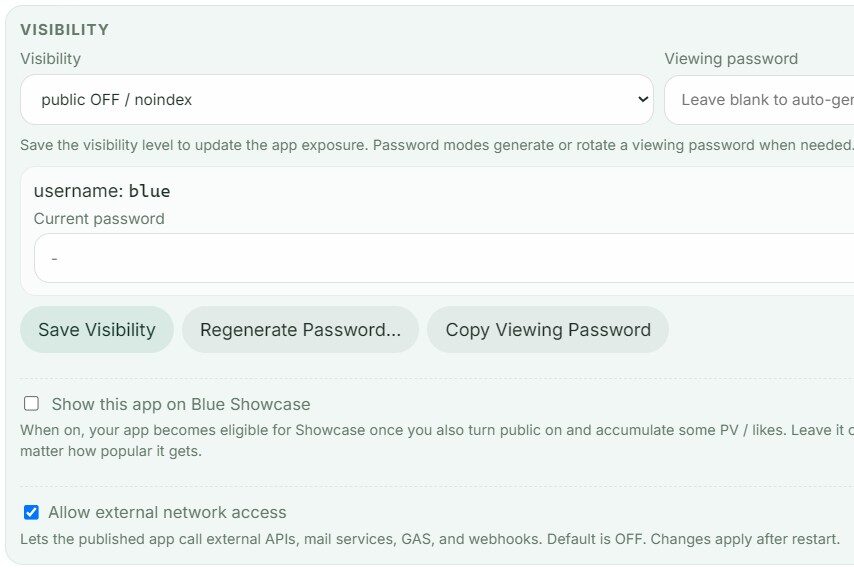
Generating an app produces several housekeeping items that require immediate attention. After completing a new build, navigate to Blue’s Console in the lower left navigation pane. The Console uses a ticked checkbox icon. Once at the Console, select Workspace, then click App List. Find the app you just created and scroll until reaching the Visibility section. Default is set to public OFF / noindex. While testing, debugging, or modifying the app in any way, this setting is recommended. Viewing passwords, among other security features, are are great for developers to access a publicly posted app to perform testing. In simplest terms, public OFF means the app is not accessible outside your own Blue AI login.
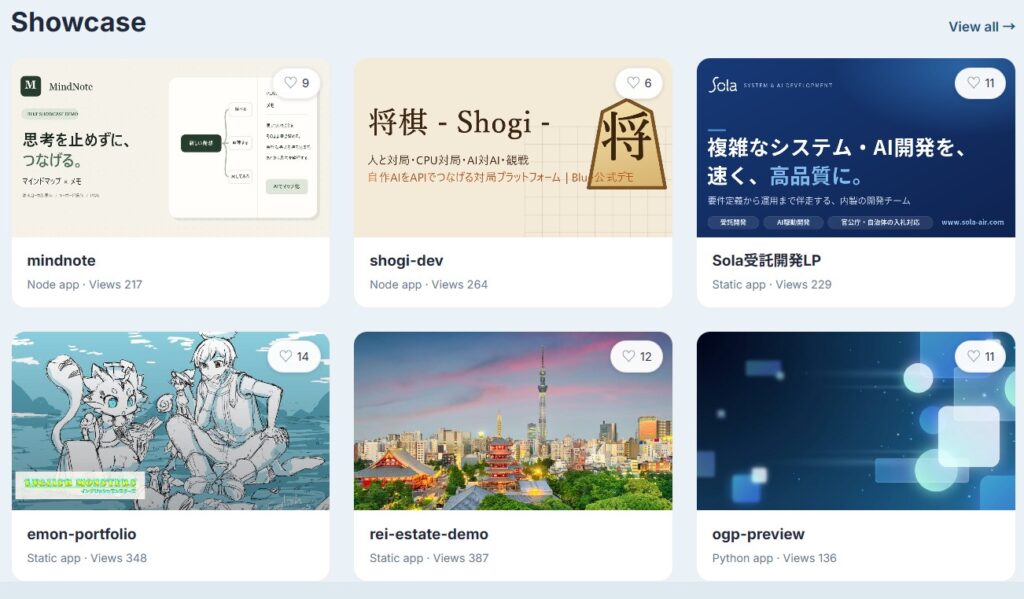
Directly below the visibility section are two checkboxes. Users interested in Sola showcasing their apps on the Blue AI homepage can check the first box. While an unlikely substitute for traditional marketing, Sola’s app Showcase gives developers public exposure. The second checkbox allows the published app to access external servers; necessary to call APIs like GPT or Claude. This is important because the first time I published the Redline Editor, it produced a network error code. I later discovered the second box was unchecked by default. Immediately after remedying and restarting the app, it ran flawlessly. In other words, if needed, be sure to check that second box enabling connections to external systems or your app will not execute properly.
Testing the Redline Editor
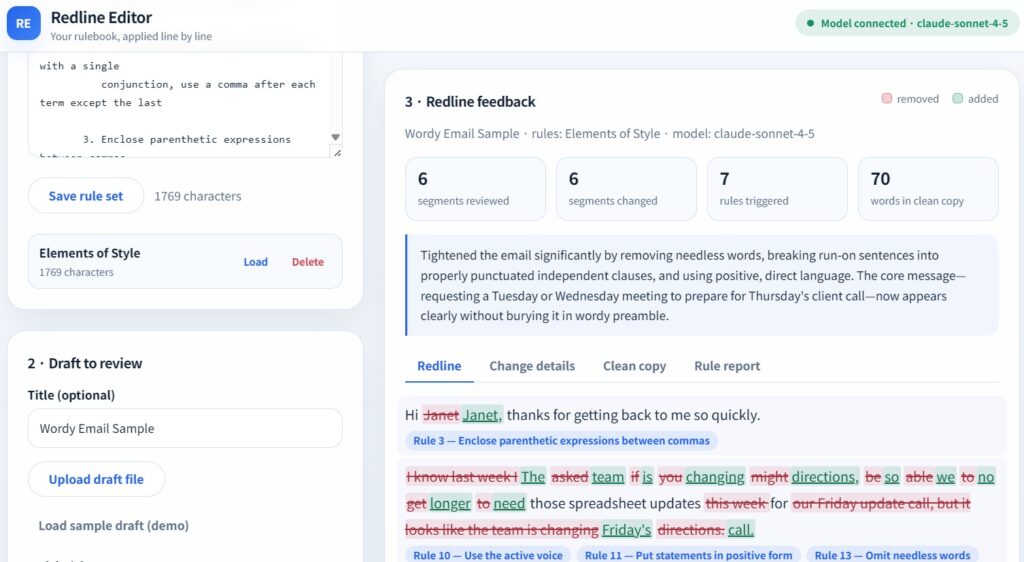
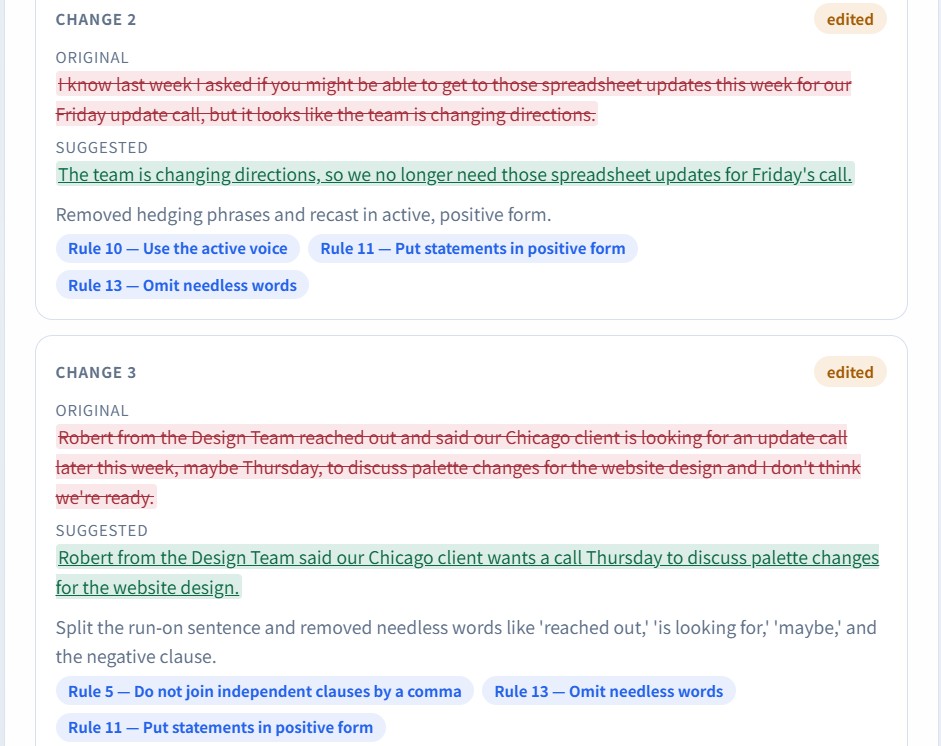
To test the Redline Editor, I wrote a sample email in a stream of consciousness style common with the general public. While less common in recent years, I’ve received countless of these messages from colleagues before fluff emails fell out of favor. Pasting Stunk’s ruleset from The Elements of Style into the Redline Editor, posted below are the original wordy email, edited version, and a screenshot of the in-app results. What I find most impressive is how Blue extrapolated from the original build prompt and created the Redline, Change details, Clean copy, and Rule Report tabs without additional input.
See below for the results. As the reader, I leave you to decide which version you prefer…
Wordy Email Sample
Hi Janet thanks for getting back to me so quickly. I know last week I asked if you might be able to get to those spreadsheet updates done this week for our Friday update call, but it looks like the team is changing directions. Robert from the Design Team reached out and said our Chicago client is looking for an update call later earlier than anticipated, maybe Thursday, to discuss palette changes for the website design and I don’t think we’re ready. Considering it’s Monday, are you available either Tuesday or Wednesday morning so we can be prepared for a call with the client on Thursday? Thanks for being able to shift your schedule around to accommodate, I can’t stress enough how important we keep this Chicago client happy.
Clean Copy
Hi Janet, thanks for getting back to me so quickly. The team is changing directions, so we no longer need those spreadsheet updates for Friday’s call. Robert from the Design Team said our Chicago client wants a call Thursday to discuss palette changes for the website design. We’re not ready. Are you available Tuesday or Wednesday morning to prepare? Thanks for shifting your schedule. Keeping this client happy is critical.
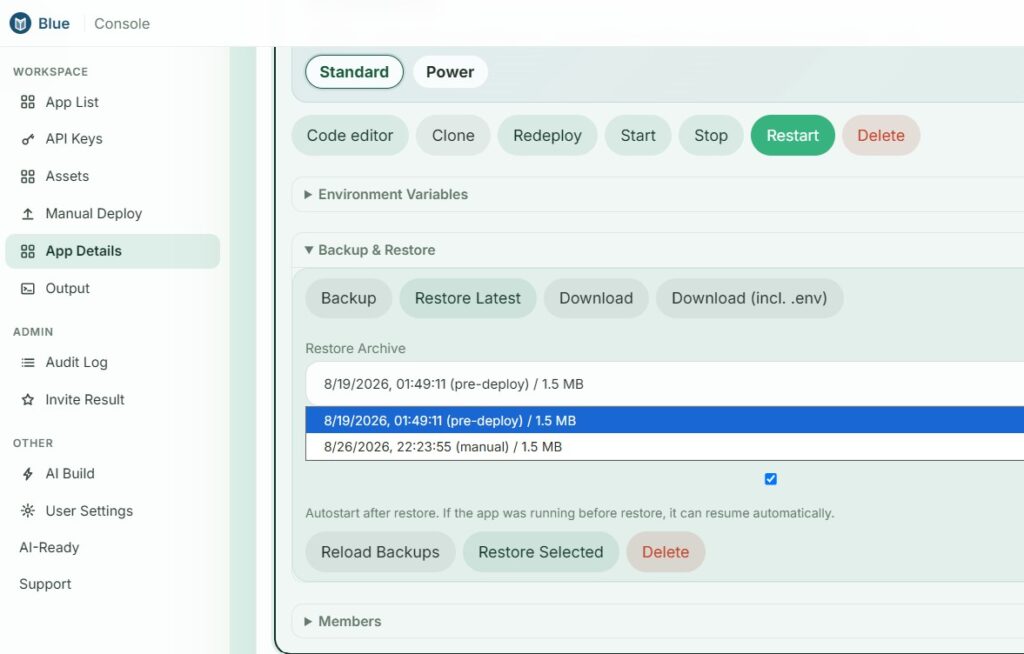
Creating a Backup before Blue Upgrades the Editor
Before editing most any file type, I create a backup copy. On a platform where the end user might not understand the underlying programming, saving a functioning app version before asking Blue to make changes feels logical. Blue leverages multiple platforms, including outside LLMs, to simultaneously write the code while also providing server space for deployment. That’s part of the beauty of Blue as a platform, but that also means a poorly written or poorly executed prompt could change the app in unintended ways. Creating frequent backups avoids this issue so users can always revert back to a previous, functioning version.
LLM Selector Upgrade
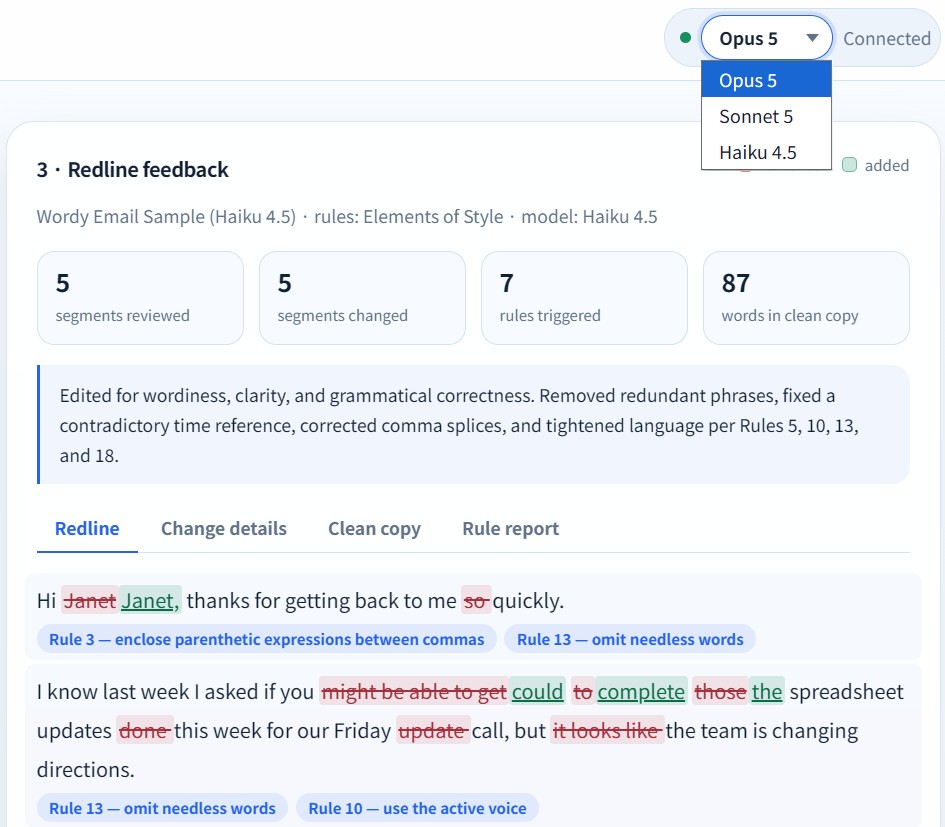
Watching this article’s word count creep up real-time as I write it, we’ll wrap things up by upgrading the Redline Editor with an LLM selector dropdown menu. Blue’s initial build defaulted to Claude’s Sonnet LLM for performing rules reviews and redline edits. For simple edits, I wanted Haiku available as it’s the cheapest LLM.
Prompt: Change the Model connected section in the upper-right displaying claude-sonnet-4-5 to a drop-down where the user can select between Opus 5, Sonnet 5, or Haiku 4.5 only. Ensure that whenever a model is selected, the Redline Editor calls that specific model from Claude. Do not include options to call older models like Opus 4.8, Opus 4.7, or Sonnet 4.5, as examples.
Results and Testing Editor with Haiku 4.5
Using the above prompt, Blue AI added the feature while keeping the original app programming unchanged. Once again, Blue as a platform performed flawlessly. Reposting the wordy email sample and processing it with Haiku 4.5 yielded good results, but not great results. I think the version from Claude’s Sonnet was both cleaner and more professional. The intention in leveraging Haiku 4.5 for simpler edits was to cut costs. At half the MTok price on both input and output, leveraging Haiku for the editor’s LLM is enticing. For the reader’s convenience, the original word email and redlined revisions using Sonnet 5 and Haiku 4.5 lie collapsed in the text accordions below.
For reference, uploading Strunk’s reference rules and performing the redline edits using Sonnet 5 cost $0.02 and Haiku 4.5 cost $0.01. Considering the results and expense, which LLM would you call for day to day tasks?
Hi Janet thanks for getting back to me so quickly. I know last week I asked if you might be able to get to those spreadsheet updates done this week for our Friday update call, but it looks like the team is changing directions. Robert from the Design Team reached out and said our Chicago client is looking for an update call later earlier than anticipated, maybe Thursday, to discuss palette changes for the website design and I don’t think we’re ready. Considering it’s Monday, are you available either Tuesday or Wednesday morning so we can be prepared for a call with the client on Thursday? Thanks for being able to shift your schedule around to accommodate, I can’t stress enough how important we keep this Chicago client happy.
Hi Janet, thanks for getting back to me so quickly. The team is changing directions, so we no longer need those spreadsheet updates for Friday’s call. Robert from the Design Team said our Chicago client wants a call Thursday to discuss palette changes for the website design. We’re not ready. Are you available Tuesday or Wednesday morning to prepare? Thanks for shifting your schedule. Keeping this client happy is critical.
Hi Janet, thanks for getting back to me quickly. I know last week I asked if you could complete the spreadsheet updates this week for our Friday call, but the team is changing directions. Robert from the Design Team said our Chicago client wants an update call Thursday, earlier than anticipated, to discuss website palette changes, and we’re not ready. Are you available Tuesday or Wednesday morning so we can prepare for the Thursday call? Thanks for shifting your schedule; keeping this Chicago client happy is critical.