
Introduction
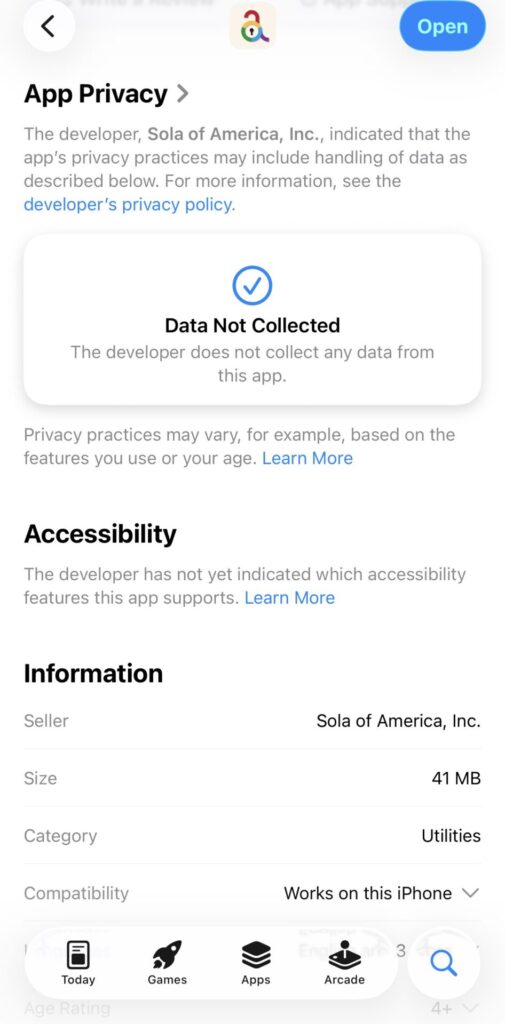
I still remember the first time I navigated to accoca’s page on the App Store. When I scrolled down to the App Privacy section and read the words [Data Not Collected], I nearly fell out of my office chair in disbelief. Comparing the same App Privacy to a popular email service provider that starts with gee and rhymes with snail, it’s shocking. According to that service’s App Store page it may collect data on: purchases, contact info, user content, identifiers, diagnostics, location, search history, usage data, other data. By most anyone’s standards, that is a lot of user data needed to manage emails. I think the lack of user data collected in accoca is the perfect way to highlight how seriously Sola Inc. treats user privacy. In a world where companies are seemingly never satisfied obtaining and analyzing user data to push advertisements and drive sales, Sola is different.
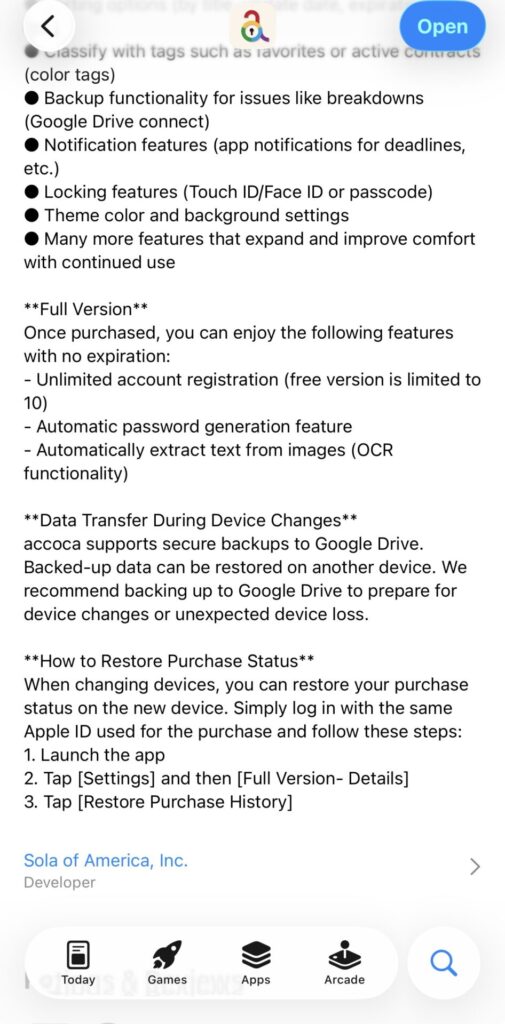
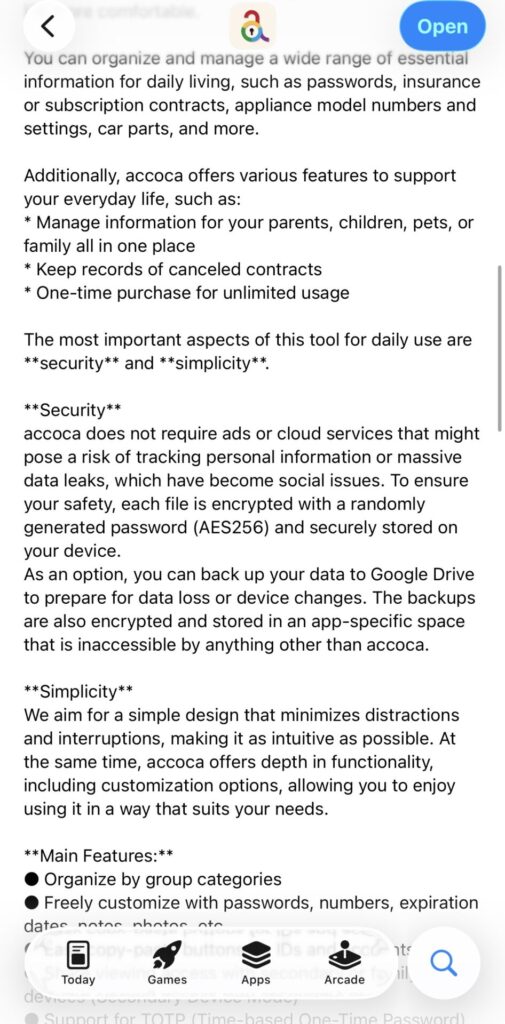
Expand the description on accoca’s App Store listing and you’ll notice they discuss the ability to store data locally or with an encrypted Google Drive backup. A choice! Who could imagine companies giving users a choice in 2026?! Under the Security section of the app description of the App Store, Sola mentions it does not push ads or cloud services that might pose a risk of tracking personal information or exposing user information to data leaks. Then finally, they talk about how each password file is encrypted with AES-256, considered by many to be the gold standard of encryption. In this article I wanted to explore what AES-256 level encryption is, why it’s so important with accoca, and how it protects your data. Let’s get into it!
Previous Articles
Below are links to some of Sola’s other articles about accoca. The articles take less than 5 minutes to read and help provide insight into both the purpose of accoca as an app and how to generate difficult to hack passwords.
What is a Password Manager (Vault)
How to Generate Strong Passwords
Where to Download
accoca is available on the Apple App Store—linked below. A couple of key features to note: the app is free to use and Sola of America, Inc. does not collect any personal data from its users. For those wanting to unlock unlimited entries, OCR text detection, and customizable, auto-generated passwords, accoca offers a $9.99 lifetime purchase price. The fully unlocked version can be restored on another device by logging in with the same AppleID.
What is AES-256
AES stands for Advanced Encryption Standard and is a specification for the encryption of electronic data first established by the US National Institute of Standards (NIST) in 2001. Originally developed by cryptographers Joan Daemen and Vincent Rijmen, AES comes in three different key sizes: 128, 192, 256. In simplified terms, the greater the key size the stronger the encryption. This key size determines how many rounds the original input character is changed before producing an output character:
- 10 rounds for 128-bit keys
- 12 rounds for 192-bit keys
- 14 rounds for 256-bit keys
To elaborate, each plaintext character the user writes for a password will then get transformed for several rounds (see above). After the final transformation round, a resulting ciphertext is produced. When encrypting a password for secure data storage, each character within a password undergoes the round shifts. With the passkey, decryption takes place in the opposite direction to unscramble the puzzle. In a simplified example, the letter ‘t’ might be securely stored in accoca’s password file as ‘#’. It all depends on the key size and accompanying secret key. More on secret keys below.
Key Derivative Function
I promise after this paragraph it’s end of the technical stuff—but it’s a fascinating subject. If the user wanted to encrypt and protect data at an extreme level, one should use a 128-bit secret key combined with a 256-bit key size. But without manipulation, producing a 128-bit secret key would require memorizing a password around 20 characters long. While storing a 20-character password is no problem for accoca, it’s impractical for the memory of most people. For this reason, many methods of encryption take a user’s password, or secret, and then use a key derivative functionto add length and complexity to the original. The result is a 128-bit secret that can then be used to encrypt the data in a 14 round 256-bit key size. The short version: key secret + key size = strength of the data encryption.
Difficulty of Hacking
As referenced in the introduction of this article, accoca stores each password as an individually encrypted file. For users, that means that even if a bad actor were to… break into a user’s device and find accoca’s locally stored password files or hack a user’s Google Drive backup, they would still be faced with first decrypting the encryption on the file storage and THEN running another hack on each individual password file.
Authors Biaoshuai Tao and Hongjun Wu in a 2015 paper about a key recovery attach against AES encrypted data estimated a 128-bit key with solid secret key would require somewhere around 38 trillion terabytes of data to hack. At the time, that was more than all the data stored on all the computers on the planet.
Conclusion
This was a technical article that might not interest all users. The reasons for publishing it, however, are not technical nor complicated. In a world filled with hackers, scammers, and other bad actors, data privacy is something everyone must take seriously. Using simple to guess passwords is an invitation to have your identity or other sensitive information stolen.
With accoca, with the simple tap of a finger, users can instruct the software to increase or decrease the generated password length, include letters, numbers, and symbols, in virtually any powerful and secure combination to keep users safe when accessing their accounts. Why risk it when you don’t have to? Try the free version of accoca and when you’re ready to step up your data privacy practices, the full version is available for a single lifetime unlock of $9.99. Sola cares about your data and so should you.
Thanks again for reading and as always, comment below for any requested content in future articles.