
Introduction
The Holiday Season is upon us! And for many people that means shopping, shopping, and more shopping. It seems like every year companies look for more excuses to host a sale. Whether that always translates to a bargain for the consumer remains to be seen. I remember visiting an Under Armour store one weekend and saw a pair of running shorts for $30. Since Black Friday was the following week, I held off on purchasing the shorts that same day. Returning the next week, I noticed new price sticker on the shorts showed $50 with a 40% discount—which meant the shorts were still $30. I suppose the lesson here is, not all sales mean deals. Be careful out there.
You may be asking yourself, what does that story have to do with monoca 2? Shopping, of course. Whether gift shopping for Christmas, Chinese New Year, a friend’s birthday, or another special occasion, coordinating gift shopping can be tedious. I can recall so many drawn-out text conversations with my wife sending each other link after link. “What do you think of this for your dad?” or “How about this for your sister?”
Sure, texting is one way to coordinate, but with monoca 2 we can use a simple template to share ideas, websites, and even mark whether a certain gift is ‘greenlit’ for purchase. In less than 5 minutes from start to finish, the template can be built and then shared with anyone. Let’s get into it!
Previous Articles
In past articles, we’ve looked at how monoca 2 can be used for everyday life, tracking grocery prices, and even organizing minis for tabletop gaming. Each of those examples showed how the app’s customizable categories and fields make it flexible for any kind of collection.
Using monoca 2 in Everyday Life
Where to Download
The fully unlocked version of monoca 2 comes with unlimited item creation, 10 shared groups, no ads, and higher resolution icons and images, is available for a single, lifetime unlock payment of $9.99. Share your device’s trial code with a friend to give them a 25% discount. Share each other’s codes and you can both receive a discount.
App Store: Download for iPhone/iPad
Google Play: Download for Android
Web(Beta): https://monoca2.web.app/
Building the ‘Gift Shopping’ Category
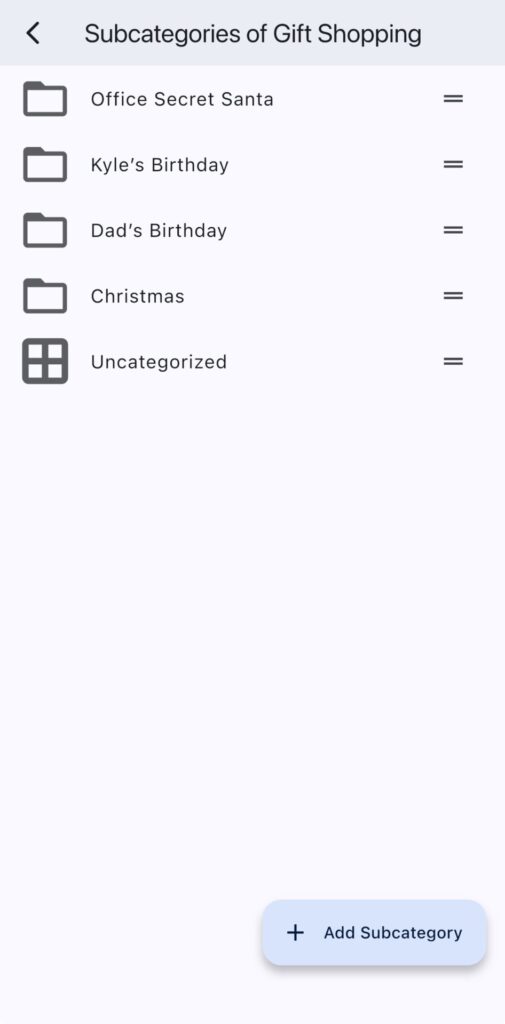
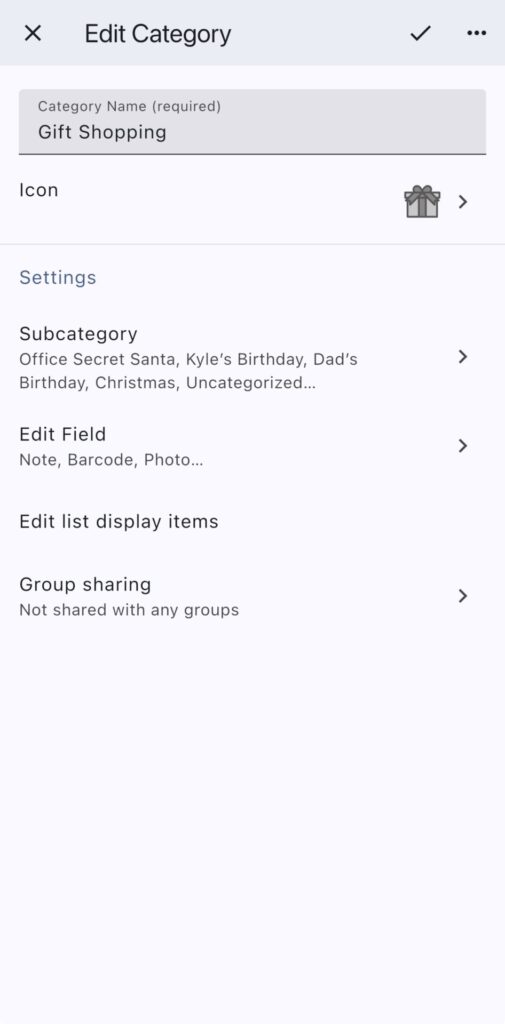
For this demonstration of monoca 2’s capabilities, we’re keeping things beyond simple. The ‘Gift Shopping’ category has only four fields—color tag, multi-line note, barcode, and photos. It’s a minimalist setup, but the goal is to streamline sharing ideas compared to text conversations. Add subfields depending on the occasion. In the screen captures shown below I used:
- Office Secret Santa
- Dad’s Birthday
- Kyle’s Birthday
- Christmas
Within a given subcategory, start with the multi-line note field. Instead of juggling a dozen browser tabs, losing track of links, or scrolling endlessly through text threads, you can treat the note section like a personal shopping database. Each line can hold a potential item name, the price, and a hyperlink to the store page. For example, under the ‘Dad’s Birthday’ subcategory:
- UA Run Shorts; https://store.example.com/item
- Hydro Flask 32oz, Alpine; https://anotherstore.com/hydro
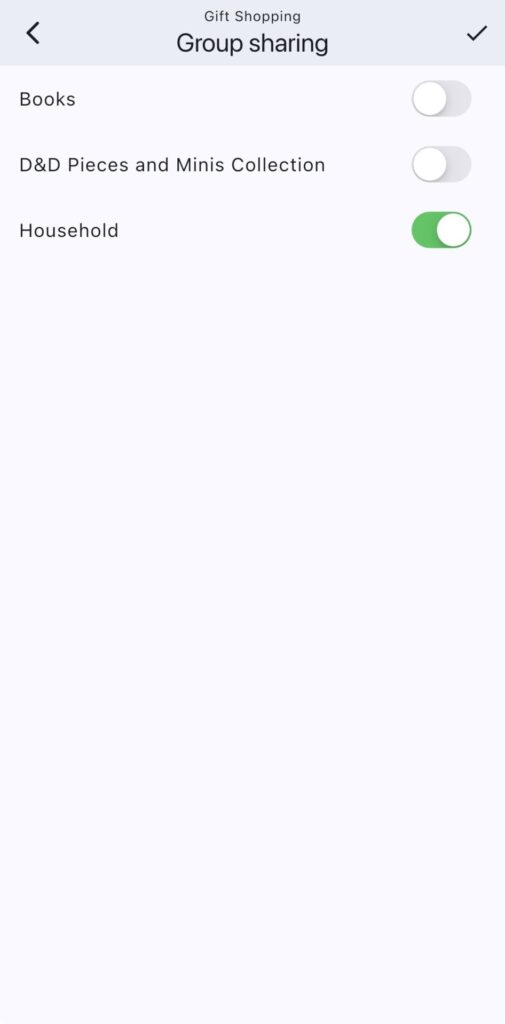
All in one place, all neatly visible, and all instantly accessible. No more searching through a chat because you “swear you sent that link already.” If you’re collaborating with someone—your partner, sibling, or friend—you can both add and update links in real time, making the whole process feel like you’re co-editing a shared bulletin board.
Color Tags
Next, consider the color tags. You can assign colors to represent stages in your gift pipeline: green for “already bought for,” yellow for “considering,” red for “too expensive” or “bad idea”. Alternatively, if shopping for a larger occasion like Christmas, color-code by price range for things like major gifts or stocking stuffers. The point is that the colors instantly turn your category into a visual dashboard where you don’t need to decode anything. The structure is also flexible in that a category can be used to label the gift receiver where items are added as the gifts themselves. Categories can also represent the occasion where the items are the recipients and there’s a strong case for using the multi-line note function.
Barcode Scanner
Now, the barcode field is most useful for last-mine or in-store shopping. Let’s say you’re walking through Target and see a coffee grinder is the home goods section. You can scan the barcode right from the app and, in seconds, look the item up on eBay or Google. This means comparing prices on the spot instead of wondering whether the store’s “limited-time sale” is actually a deal… or if it’s just another $30-shorts-that-were-always-$30 situation.
Photo Field
And let’s not forget the photo field. This one is useful when you need to show something to someone else quickly, or when you want to remember what something looked like. For example, did the hoodie look cooler in red, or black? If you and your partner are coordinating gifts, you can snap a picture of something you saw in a store, add it to the category, and they’ll see it right away. No more sending a photo through text where it gets buried under a dozen memes. Photos in monoca 2 stay exactly where they belong—paired with your notes and tags, ready for anyone you’ve shared the category with.
Conclusion
What really ties all this together is convenience of the system. With only four fields, this sample template shows how simple is often. It’s able to be set up in under 5 minutes and then instantly shared with any other monoca 2 user. Then, you and your co-shoppers can browse ideas on your own time, update notes without disrupting each other, and come together later to quickly finalize plans. That means fewer back-and-forth messages and far less frustration.
Holiday shopping will never be entirely stress-free. But with monoca 2, it can at least feel a little more organized and a little less chaotic. Happy shopping and mind your wallets!
Where to Download
The fully unlocked version of monoca 2 comes with unlimited item creation, 10 shared groups, no ads, and higher resolution icons and images, is available for a single, lifetime unlock payment of $9.99. Share your device’s trial code with a friend to give them a 25% discount. Share each other’s codes and you can both receive a discount.
App Store: Download for iPhone/iPad
Google Play: Download for Android
Web(Beta): https://monoca2.web.app/